
Take control of your moneyMonthly budget app and spending planner

Set a budget for each category, log what you spend in seconds and see what’s left this month.

Free for iPhone and iPad.

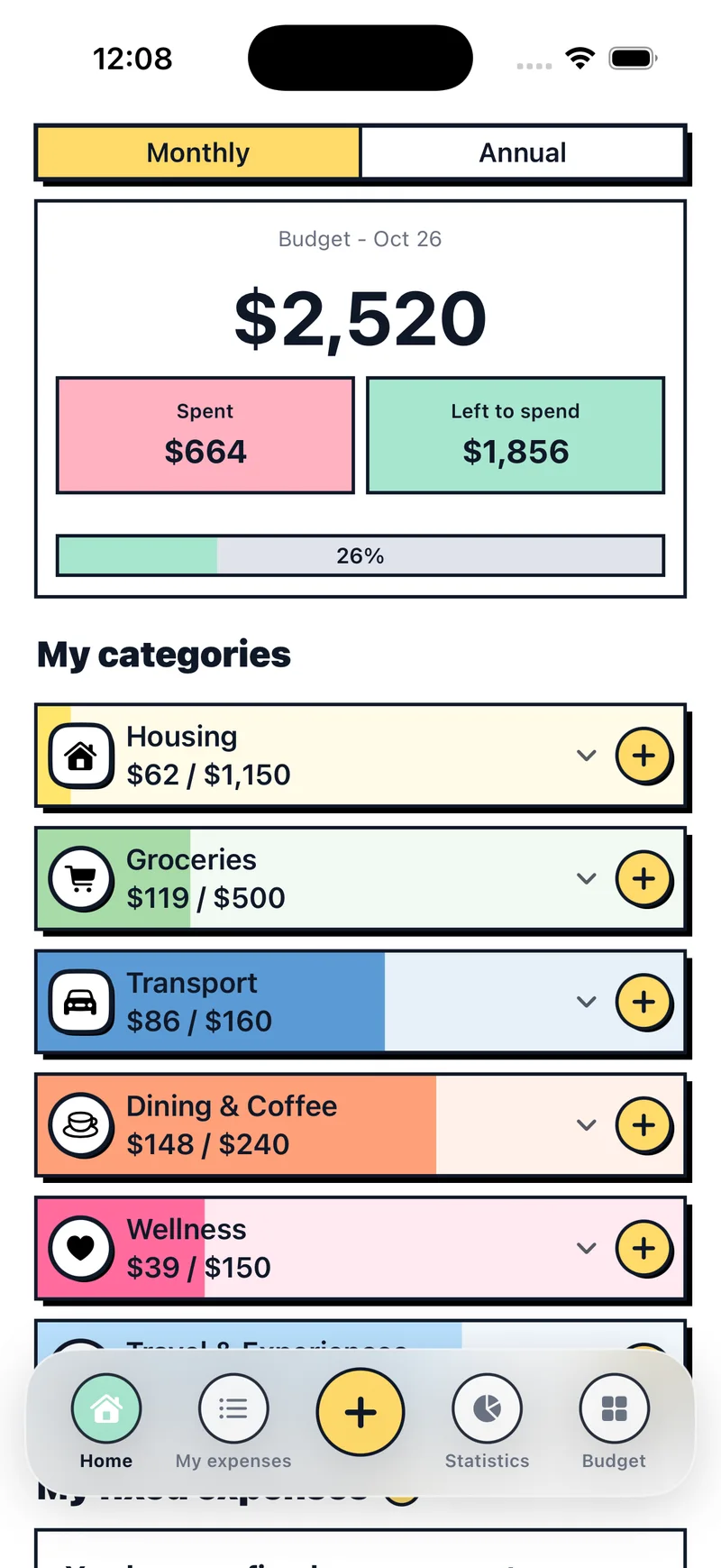
Budget Pop home screen with the monthly budget, amount spent, amount left and categories

Finally, a simple budgeting app with no fuss

Who is Budget Pop for?

For anyone running a personal, household or family budget who wants to know where their money goes, without spreadsheets.

If you’ve never made a budget

Pick your categories, set a limit for each one and you’re ready to go.

If you’re tired of spreadsheets

Log each expense on your phone as it happens, and the math does itself.

If you don’t want to link your bank

You log what you spend. Your data stays on your device.

«I don’t need tons of data. This program makes budgeting and keeping track of expenses so easy.»
App Store review

What you can do with Budget Pop

Budget Pop home screen showing the monthly budget, spent and left to spend

Open the app and see what’s left

Home shows your monthly budget, this month’s expenses and what’s left to spend. Each category fills with color as you spend, so you can spot the one that’s running out.

  • Monthly and annual views
  • Your fixed expenses on the same screen
Your fixed expenses, always under control

Rent, utilities, gym, subscriptions. Add each one once, with its amount and day of the month. When it’s due, mark it as paid and see what you really have left.

  • They repeat every month on their own
  • See what’s paid and pending at a glance
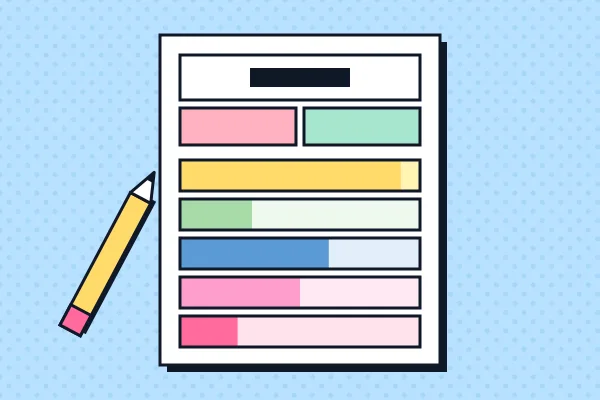
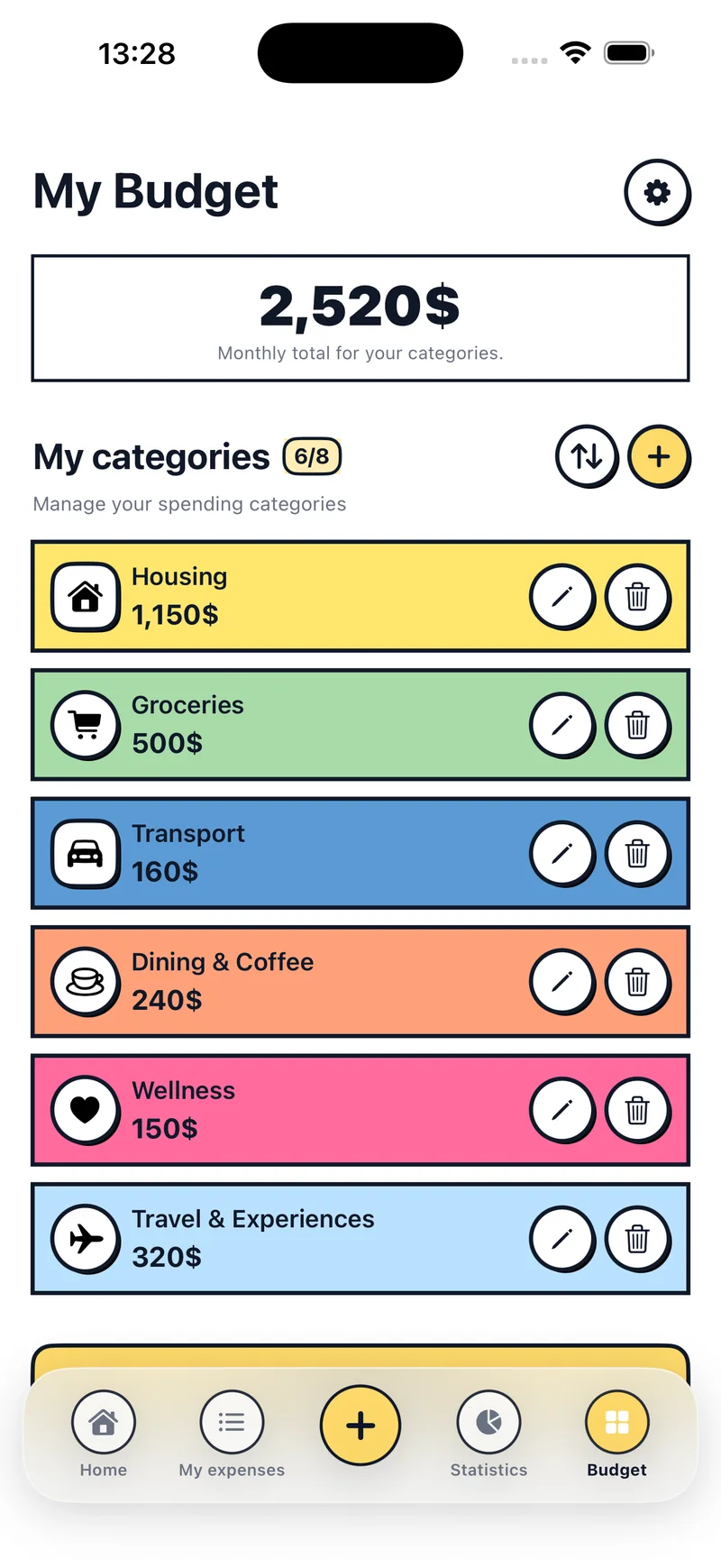
Budget screen with colorful categories such as housing, groceries and transport

A budget built around you

Decide how much to spend on housing, food, fun or whatever you use. Each new month starts with the same amounts, so you only touch what changes.

  • Change an amount whenever you like
  • Past months stay as they were
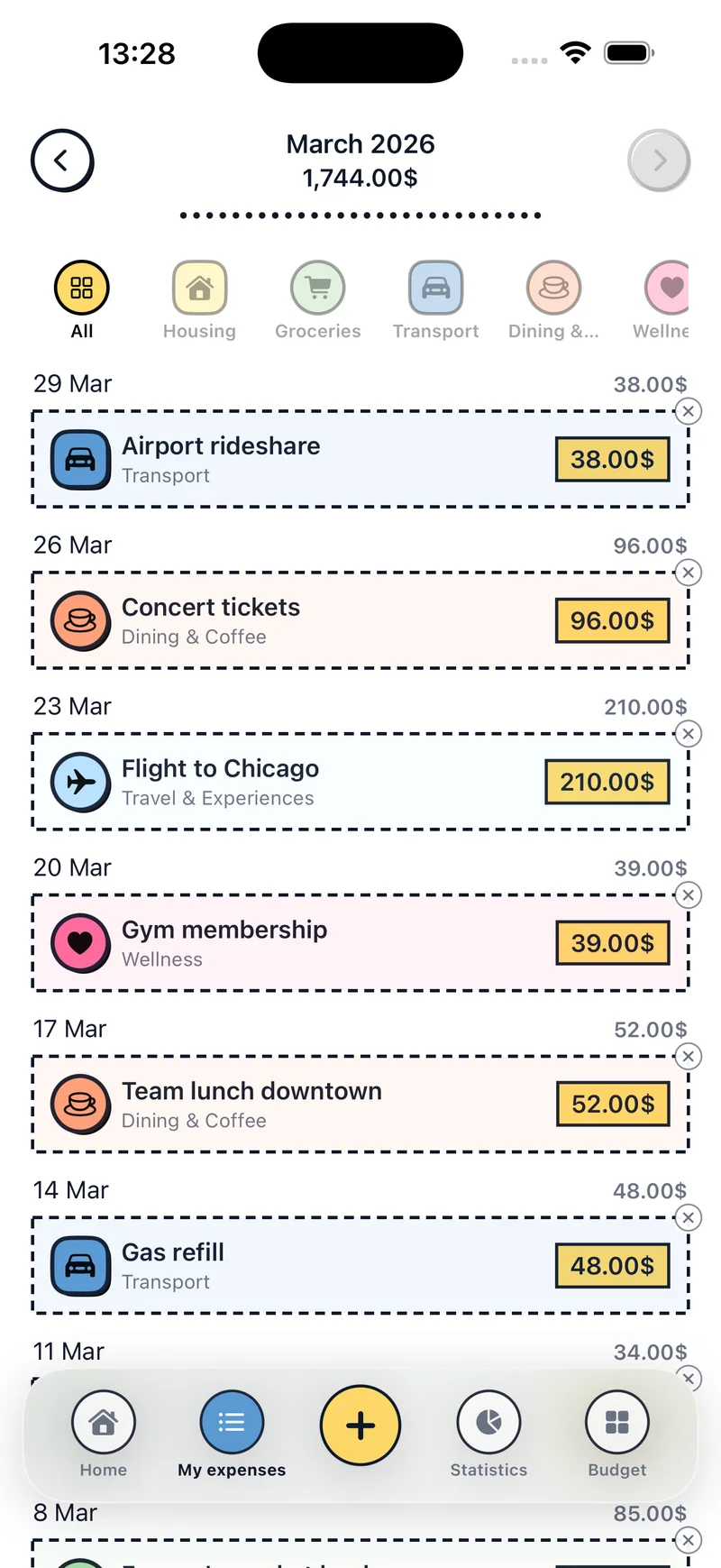
Expense history organized by day, with category filters at the top

Log expenses in seconds

Tap the + button, type the amount and pick a category. The keypad adds, subtracts, multiplies and divides, so you can split a dinner bill right there.

  • History organized by day
  • Filter by category
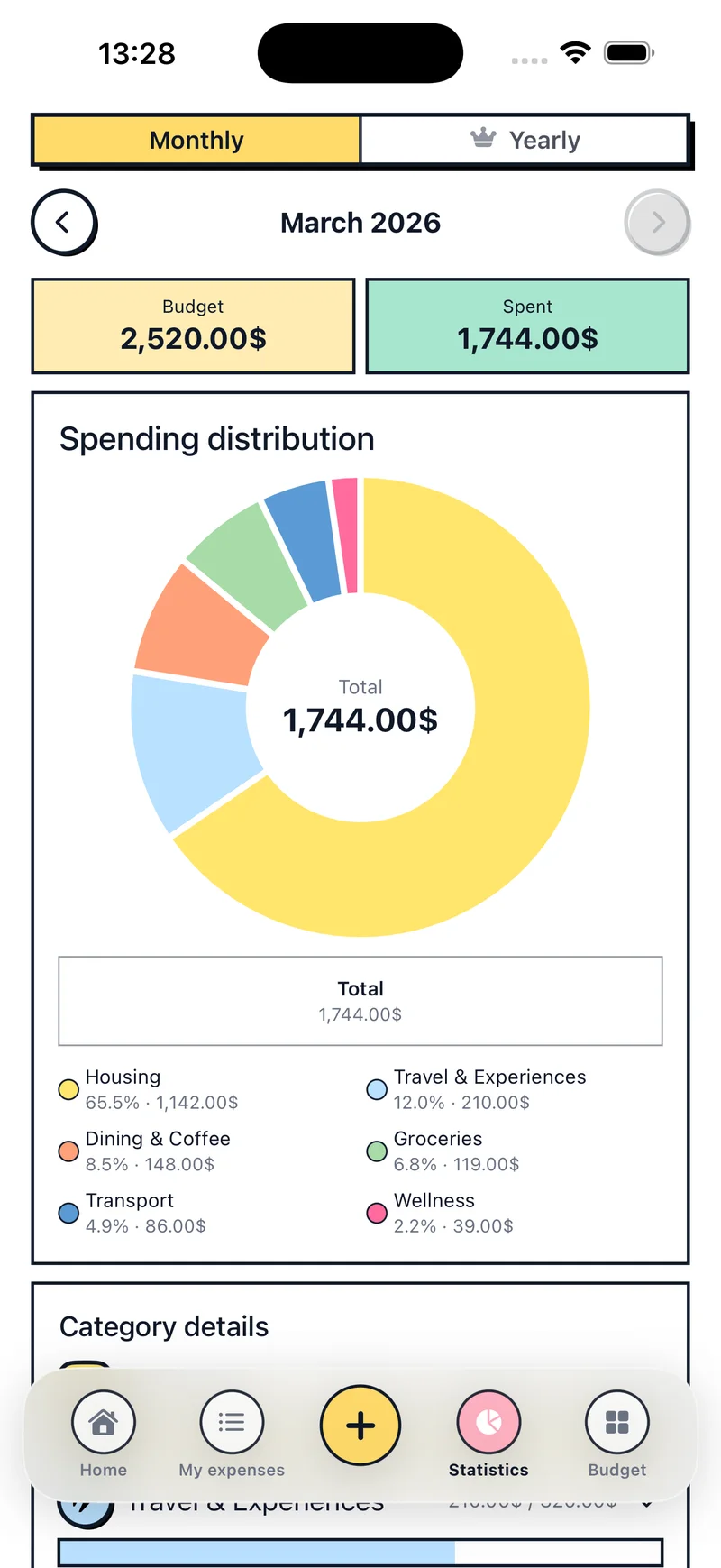
Donut chart showing the month’s spending by category

See where your money goes

Your monthly expense tracker, as a chart: how much goes to each category, with its amount and percentage. Move between months and compare.

  • Budget and spending side by side
  • Details for each category

And there’s more

Widgets

Check your budget and categories from your Home Screen, or add an expense with one tap.

Reminders

A daily, weekly or monthly nudge so you don’t forget to log your expenses.

Your currency and language

Choose your currency when you start. The app is available in 21 languages.

Want to see inside the app?

We’ll show you step by step how to set up your budget, log expenses and add fixed costs.

See the tutorial

Articles

How to make a monthly budget in 6 steps

Work out what comes in, separate your fixed costs, split the rest by category and review it at the end of the month. With a worked example on $3,000 a month.

Frequently asked questions

What is Budget Pop?

A monthly budget app and expense tracker for iPhone and iPad. Use it to split your money by category, log your monthly expenses and see what’s left.

Who is Budget Pop for?

For anyone who wants a simple monthly budget on iPhone or iPad: set a limit for each category, log expenses by hand and see what’s left, without spreadsheets or linking a bank.

Is Budget Pop free?

Yes. You can download it and start for free. There’s also a Pro version with more features.

Can I use it for a household or family budget?

Yes. Create categories such as housing, food or school and log all your home expenses there. Add fixed costs too, like rent or utilities.

Where is my data stored?

On your device. Your budget and expenses are saved there, and you don’t need to create an account or link your bank.

Do I have to fill in my budget every month?

No. Each new month starts from the budget in your categories. You only change it when you want to adjust something.

Does it handle fixed costs like rent?

Yes. Add each fixed expense with its amount and day of the month. Every month you mark it as paid or skip it.

What devices does it work on?

iPhone and iPad.

Start your budget today

Download Budget Pop for free and log your first expense in a minute.

Download on the App Store